 TicketFae
Who Owes Me for Tickets? How to Track and Settle Ticket Money With Friends
You put €120 on your card for Saturday's tickets, two friends paid at the bar, one sent "will transfer tomorrow 🙏" — and now it's three weeks later. Here's how to track who owes what for tickets and get settled without spreadsheets or awkward reminders.
Why general expense apps fall short for tickets
Splitwise, Tricount and friends are great for holiday dinners — but tickets aren't a bill to divide evenly. Tickets have seats, prices per person, and a document to deliver. Typing every cinema night into a generic expense app is double bookkeeping: once for the money, once (in your head) for who got which ticket.
TicketFae merges the two: the ticket is the expense. When you split the group's ticket PDF or bill an event, every ticket automatically becomes an expense record for its recipient — right amount, right event, right person. No manual entry, ever.
See the money from every angle
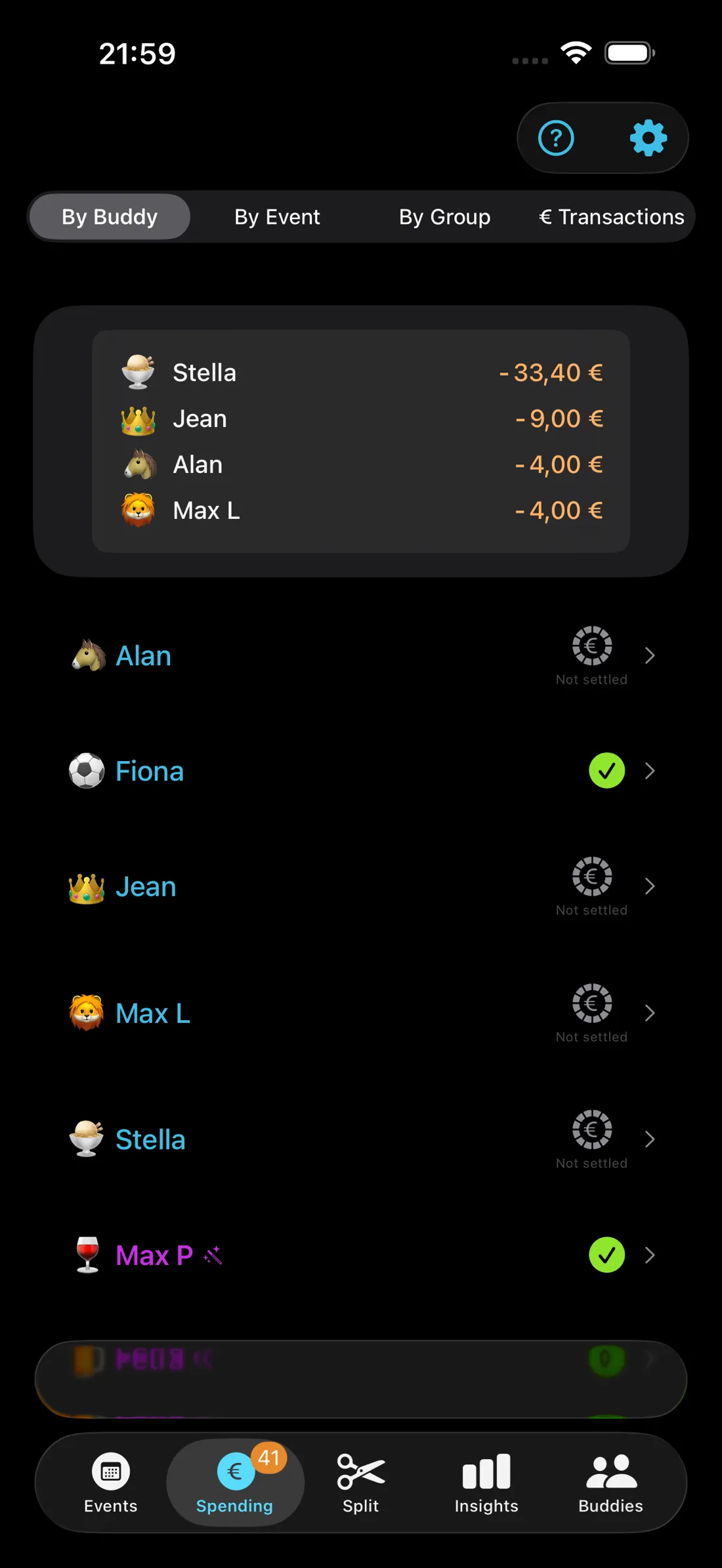
The Spending tab answers whichever question you're actually asking:
- By Buddy — "How much does Petra owe me in total?" Each friend has a row with their running total across all events. Tap to expand and see every ticket behind it.
- By Event — "Is Saturday's concert settled?" Each billed event lists everyone who owes for it.
- By Group — "Where does the film club stand this year?" Totals per friend group: overall cost, your own pocket, repaid, remaining.
- Payments — a filterable table of every single transaction, for when you need to find one specific payment. Turn your phone sideways for the full-width view.
A badge on the tab counts outstanding balances, so "all clear" is visible at a glance.
Getting paid without the awkward text
Chasing money is the part everyone hates. TicketFae gives you three escalation-free options:
- Share a payment request as text — pre-written with the event, tickets and amount. The message does the asking.
- Show a PayPal QR code — your friend scans it with the amount pre-filled. Perfect while you're still standing outside the cinema. How QR payment requests work →
- Show a SEPA QR code — their banking app pre-fills a free bank transfer. No fees, no PayPal account needed.
When money arrives, tap the circle next to the ticket to mark it paid — with an Undo toast in case you tap the wrong person, and overpayments tracked automatically ("you owe money back").
Better: never front the money at all
If prices are high or the group is big, flip the order: bill everyone before you buy. TicketFae's pre-purchase mode creates the expense records first, so you buy the tickets with the group's money, not yours.
Frequently asked
Do I have to type in the expenses?
Can I see everything one friend owes across many events?
What about friends who overpaid?
Retire from unpaid accounting
Free on the App Store — the tickets do the bookkeeping themselves.
Download TicketFae