 TicketFae
How to Split a PDF With Multiple Tickets — One Ticket Per Person
You bought tickets for the whole group and the cinema, theatre or festival sent one PDF containing everyone's tickets. Now each friend needs just their own. Here's the clean way to split it — on your iPhone, in under a minute, with every barcode intact.
Why the usual methods are a pain
Search for "split PDF" and you'll find three suggestions, all with problems when the PDF is a ticket:
- Online PDF splitters — you upload a file full of live barcodes worth real money to a random website. If a copy leaks and someone scans a ticket before your friend does, that ticket is dead at the door.
- Print-to-PDF on a desktop — works, but you need a computer, you repeat it once per person, and you end up with files named
output(3).pdfand no idea which seat is inside. - Just forwarding the whole PDF to everyone — now six people carry six copies of six tickets. First scan wins; the rest get bounced at the entrance. Venues explicitly warn against this.
The one-minute way: split it on your iPhone
TicketFae is a free iPhone app built around exactly this job. It splits the multi-ticket PDF on your device, offline — nothing is uploaded anywhere — and it knows that a ticket PDF isn't just pages: it reads the event, date, venue, seats and price out of the file, and it tracks who got which seat afterwards.
- Open the Split tab (scissors icon) and keep PDF selected.
- Select the PDF your venue sent — from Files, iCloud Drive or wherever it landed.
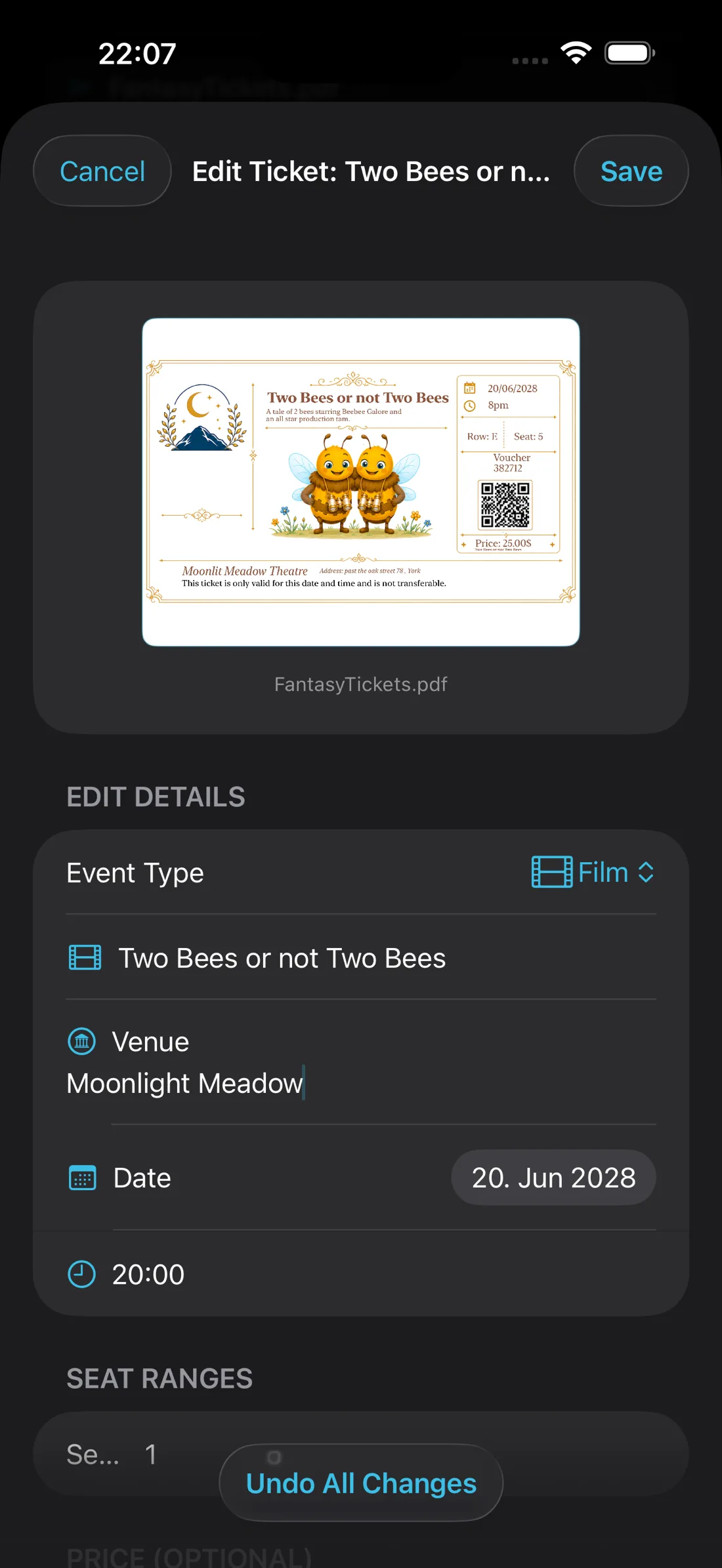
- Check the extracted details. TicketFae reads the film or event name, date, time, venue, seat range and total price. Tap to correct anything it misread.
- Pick your buddy list — the reusable group of friends going — and set how many tickets each person gets with the +/− stepper. Over-allocation is blocked, so the numbers always add up.
- Tap Confirm Allocation, then Split & Bill. One single-ticket PDF per friend is created, along with each person's expense record, in a single step. (Use Split Only if you'd rather bill later.)
- Send each ticket from its recipient's row — AirDrop, WhatsApp, email, even print. Friends with the free TicketFae Buddy app receive theirs automatically.
What happens after the split
This is where an app beats any PDF tool. After splitting, TicketFae keeps working for you:
- Delivery tracking — every recipient's row shows whether their ticket was sent, delivered and confirmed.
- Money tracking — each ticket became an expense record; the Spending tab shows who still owes you and lets friends pay by PayPal or SEPA QR code.
- Plan B at the door — the original tickets stay on your phone too, so you can show the QR code of any friend who's mislaid theirs.
- Drop-outs handled — if someone can't come, reassign their actual ticket (same seat, same barcode) to someone else.
Frequently asked
Can I split a ticket PDF without uploading it to a website?
Will the barcodes still work after splitting?
What if one person gets two tickets?
Does it work for Ticketmaster / Eventim / cinema PDFs?
Split your first ticket PDF today
Free on the App Store. Works offline. Your friends don't need the app.
Download TicketFae