 TicketFae
How to Send Each Friend Their Own Ticket
You're holding all the tickets for Saturday — cinema, concert or theatre — and five people are waiting for theirs. Here's how to share tickets with friends so each person gets exactly their seat, and you can see who has actually received it.
The wrong way: forward everything to everyone
The tempting shortcut is to drop the full ticket PDF into the group chat. Two problems:
- Each barcode scans once. When six people all carry all six tickets, the first arrivals can accidentally use up someone else's ticket. Venues warn about exactly this.
- Nobody knows which seat is theirs. Cue the row-shuffling in the dark while the trailers run.
The right way: one ticket, one person, tracked
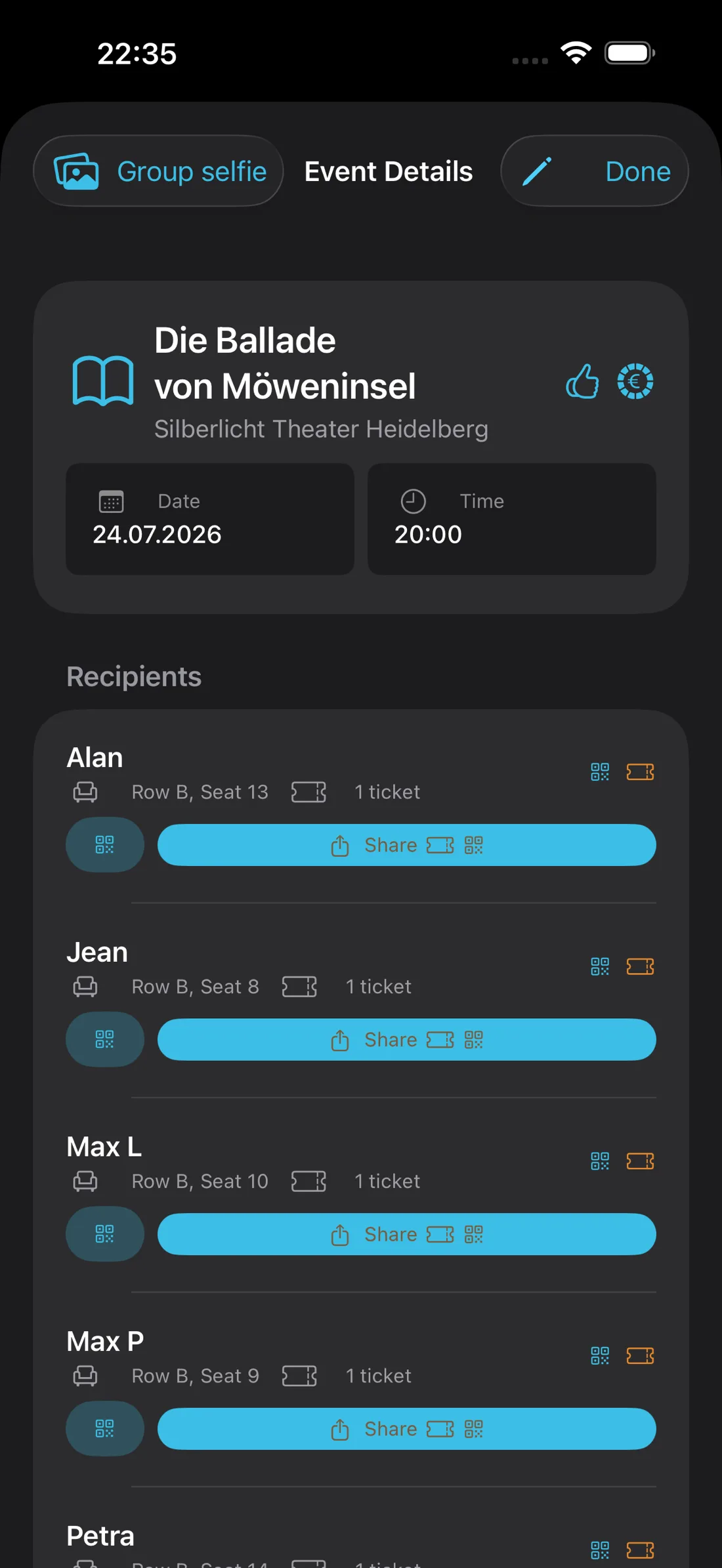
With TicketFae you split the group PDF into individual tickets first, then send each one from its recipient's row:
- Split the PDF in the Split tab — one single-ticket PDF per friend, seats and barcodes untouched.
- Tap the share button on a friend's row. The normal iOS share sheet opens: AirDrop if they're next to you, WhatsApp / Messages / Signal if not, email for the inbox people — even print for the one friend who insists on paper.
- Watch the bee fly. A little bee animation flies to a friend's name once their ticket is on its way, and a delivery symbol shows each state: sent → delivered → confirmed.
- Resend any time. Ticket lost in a chat scroll? Open the event, tap share on their row again. You can also re-send from the event detail view days later.
Zero-effort mode: automatic delivery
Friends who install the free TicketFae Buddy companion app don't even need the share sheet. Pair once by scanning each other’s QR code, and from then on tickets, seat details and payment requests are delivered automatically the next time they're online — and they can confirm receipt in a tap. It's optional: buddies without the app simply get their tickets by message, and they never see a paywall.
Don't forget the money
Sending tickets is half the job — getting paid back is the other half. TicketFae creates an expense record per ticket as you split (or in the same tap with Split & Bill), so the Spending tab always knows who owes what, and friends can pay by PayPal or SEPA QR code the moment they get their ticket.
Frequently asked
Can I send tickets through WhatsApp?
What if a friend doesn't have a smartphone?
Do my friends need TicketFae?
Stop forwarding. Start delivering.
Free on the App Store — split, send and track your first event tonight.
Download TicketFae